

OmZyZQmUhws

Transcript

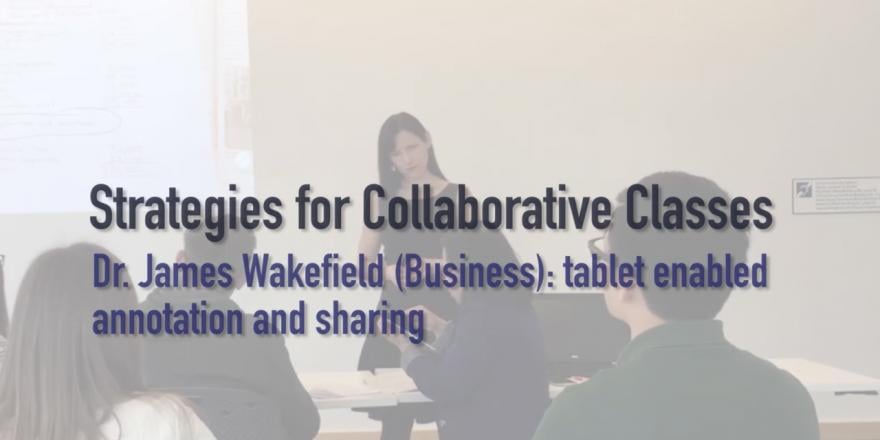
Basically, what we're doing—what we call it—is tablet-enabled annotation sharing technology. Essentially, we use that in the tutorial classes. Students just need to complete the homework before coming to class.

The tutor will have one iPad and they'll basically ask the students voluntarily who would like to share what they've done. The instructor shares that tablet computer around the class, and students can actually take photos of their homework or exercises they've attempted. Automatically, whatever's on the tablet screen will be projected to students in front.

That enables students to annotate that homework—to actually write on it using the tablet computer—as well as the instructor being able to write on it.

Normally, in a procedural subject like accounting, we would say, "Look, these are the series of homework questions that students are expected to do. Let's work through particular questions which might be more challenging, which students didn't understand."

The problem with that is, in that case, what happens is students—particularly those that don't really want to do accounting—will basically come to class and expect the tutor to work through the exercises. That means they won't attempt the questions before coming to class.

One of the keys in accounting is the practice—going through it, completing the exercises. That's really how they get their understanding.

By taking a photo of that exercise using the tablet computer, we can specifically look at what students have done. We can look at the issues they might have with that, and we can focus in on those issues.

The other thing is, it makes students feel a lot more comfortable. They might walk in and think, "Well, I really didn't understand how to do this homework," or, "There are a series of problems I had with this. I don't really want to say anything." But then they'll see one of their fellow students has had similar issues, so they'll feel a lot more comfortable about saying, "Oh yes, I had the same problem. So how do we go about addressing this issue?"

You find that when using this technology, they're much more open about telling the tutor what problems they had, sharing those problems, sharing their answers, and openly discussing those answers.

Using this technology really motivates them to practise and do the work before they come, so we can specifically talk about the issues they're having.

Keywords: tablet, participation, first year subject.

Faculty: Business

Number of students enrolled (Autumn session): 426

Accounting for Business Decisions A is a first year core subject for undergraduate Accounting students and students completing an Accounting major, as well as an elective for students enrolled in Engineering, Science and Maths. It is delivered through interactive lectures and tutorials, and introduces students to key accounting principles and their application to produce and interpret financial reports. 

What's happening?

Each lecture has core objectives to be addressed, usually using examples. Over the years, the lecturers have noticed that students find certain topics more challenging than others, and have developed specific activities to support students in their understanding of complex concepts. 

Clickers

Clicker exercises might be used two to three times in a 1.5 hour lecture, depending on the topic. Their use offers an interesting insight into students’ degree of understanding of procedural aspects of theoretical concepts – that is, students understanding of how a certain concept could be practically applied.

Questions in clicker exercises need to be carefully designed. They work best when each response option suggests different levels of understanding. The idea in the clicker exercises is to get students thinking – using challenging questions which would usually generate some discussion amongst students. 
az2dxYLluUY

Transcript

Basically, what we're doing—what we call it—is tablet-enabled annotation sharing technology. Essentially, we use that in the tutorial classes. Students just need to complete the homework before coming to class.

The tutor will have one iPad and they'll ask students voluntarily who would like to share what they've done. The instructor shares that tablet computer around the class, and students can take photos of their homework—exercises they've attempted. Automatically, whatever's on the tablet screen will be projected to students in front.

That enables students to annotate that homework—to actually write on it using the tablet computer—as well as the instructor.

Normally, in a procedural subject like accounting, we would say, "Look, these are the series of homework questions that students are expected to do. Let's work through particular questions which might be more challenging, which students didn't understand."

The problem with that is, in that case, students—particularly those who don't really want to do accounting—will come to class expecting the tutor to work through the exercises. That means they won't attempt the questions before coming to class.

One of the keys in accounting is the practice—going through it, completing the exercises. That's really how they get their understanding.

By taking a photo of that exercise using the tablet computer, we can specifically look at what students have done, look at the issues they might have, and focus in on those issues.

The other thing is, it makes students feel a lot more comfortable. They might walk in and think, "Well, I really didn't understand how to do this homework," or, "There are a series of problems I had with this. I don't really want to say anything." But then they'll see one of their fellow students has had similar issues, so they'll feel more comfortable saying, "Oh yes, I had the same problem. So how do we go about addressing this issue?"

You find that when using this technology, they're much more open about telling the tutor what problems they had, sharing those problems, sharing their answers, and openly discussing those answers.

Using this technology really motivates them to practise, do the work before they come, so we can specifically talk about the issues they're having.

Screencast assignments

This is an extra credit assignment where students choose a concept out of a pre-defined list. Students are then invited to do a screencast on that concept. The assignment is open-ended with a view of encouraging creativity, but at the same time providing a set of basic criteria and guidelines – based on time limit, type of content, creativity that the video exhibits etc. Students are encouraged to choose either a concept or a distinct aspect of a concept, and are free to use any tools they wish (e.g. PowerPoint, videos) and to produce different types of content (e.g. songs, poems). They have access to a library of screencasts from previous years.

All enrolled students may use the discussion board on Canvas to provide feedback on earlier versions of the videos produced by their peers. The best screencasts produced are played live in class.
sscPJzo-Pdw

Transcript

Basically, what we're doing—what we call it—is tablet-enabled annotation sharing technology.

Essentially, we use that in the tutorial classes. Students just need to complete the homework before coming to class.

The tutor will have one iPad and they'll ask the students, voluntarily, who would like to share what they've done.

The instructor shares that tablet computer around the class, and students can actually take photos of their homework or exercises they've attempted. Automatically, whatever's on the tablet screen will be projected to students in front. That enables students to annotate that homework—to actually write on it using the tablet computer—as well as the instructor.

What we would normally do in a procedural subject like accounting is say, "Look, these are the series of homework questions that students are expected to do. Let's work through particular questions which might be more challenging, which students didn't understand."

The problem with that is, in that case, students—particularly those that don't really want to do accounting—will basically come to class and expect the tutor to work through the exercises. That means they won't attempt the questions before coming to class.

And that's one of the keys in accounting: the practice—going through it, completing the exercises. That's really how they get their understanding.

By taking a photo of that exercise using the tablet computer, we can specifically look at what students have done, look at the issues they might have with that, and focus in on those issues.

The other thing is it makes students feel a lot more comfortable, because they might walk in and think, "Well, I really didn't understand how to do this homework," or, "There are a series of problems I had with this—I don't really want to say anything." But then they'll see one of their fellow students has had similar issues, so then they'll feel a lot more comfortable about saying, "Oh yes, I had the same problem. So how do we go about addressing this issue?"

You find that when using this technology, they're much more open about telling the tutor what problems they had, sharing those problems, sharing their answers, and openly discussing those answers.

Using this technology really motivates them to practise, do the work before they come, so we can specifically talk about the issues they're having.

iPad use in tutorials

Students complete work at home and are encouraged to bring it to class and share the way they have worked out a problem with their peers and tutor. Students will use a tablet to take photos of their homework, which are then uploaded and shared in the wide screen in class. Tutors and students can annotate the exercise and work through the example brought by one of the students. Using the annotation in these exercises saves time for the tutor in writing an example on the board. Also it uses the completed exercises by the students as input for classroom discussion. Watch the video at the top of the page to see the technology in action. 

Why do we think it's successful?

Reviewing misconceptions and bringing the group together

Clicker exercises help the lecturer in identifying the level of students understanding on a given topic. The exercise offers feedback to students and the lecturer about whether students have misinterpreted a concept and what type of misconception students may have. The lecturer monitors how the whole class is progressing and has an opportunity to go over the concept again, if necessary.

Active learning in lectures  

Clickers offer students an opportunity to use their brains in a different way to review their understanding. Clicker exercises also break the rhythm of a lecture and can re-engage students at key points during the 1.5 hour class. 

Feedback to students – clarifying the logic

The use of clickers also offers students an opportunity to see their own level of understanding, amongst their fellow peers. Students who might struggle at a given topic may realize that they are not alone, as others express similar misconceptions. This is particularly important within large cohorts, where students may not feel so comfortable to voice their doubts in front of a 400+ crowd.

Students receive feedback, but not in terms of which was the “correct” response. Rather, they are exposed to the logic inbuilt in each alternative response, with a discussion about the thinking process that would lead to that option. Each option would point to a certain misconception, giving the lecturer an opportunity to explain how and why each of the specific options would work or not work.

Encouragement for completing the task and working on students’ examples

Using students’ homework as input for tutorial exercises and reviews encourages them to practice the problems. They need to do the work before they come to class.

A different way of interpreting a concept

The screencast assignment offers students a different way of working on a concept. Usually students are encouraged to choose a concept that they may be having trouble with, giving them an opportunity to approach the concept in different ways. Similarly, those watching the screencasts are exposed to a different language and offered a novel way of understanding a specific concept.

“one of the reasons why we introduced that, it is because, you know, students have the perception that accounting is all about numbers, it is a very numbers based subject… so if they are good at mathematics they’d be good at accounting - which is not necessarily the case. You don’t have to have great mathematic skills to be good at accounting, accounting is very much about communication… and creativity. So for example from a management accounting perspective you know you are making decisions where the business should be going in the future, what strategic resources should be associated with different directions”