

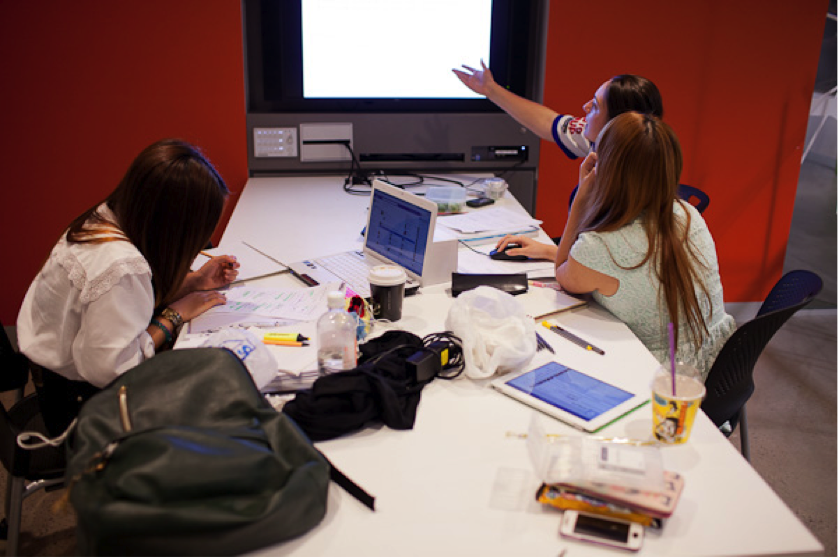
Peer-learning in Building 6 group study spaces
Lecturer: Faculty: Project: Keywords: | Dr Laurel Dyson introduced peer learning to improve student engagement and comprehension in a subject with a high failure rate. What the project is aboutThe compulsory undergraduate subject Accounting for Business has a large cohort of between 650 and 1450 enrolled students each semester, a high percentage of which failed the subject in the past. Dr Dyson wanted to change this situation and engage those students experiencing difficulties understanding the content or who were not being stimulated by the subject matter. The project began with an analysis of the ‘problem’ areas within the subject. Dr Dyson used peer learning to tackle some of these problem areas by asking her students to teach each other the content by using a screencast (which is a digital recording of a computer screen, often with audio narration). This allowed them to dissect and present the information in a way that they and their peers would understand, thus deepening their own learning experience. Dr Dyson intends to re-use the best screencasts to begin a library of learning materials for subsequent semesters, which can be added to as time goes on. Why the project was introducedCreativity has been recognised as an important characteristic of professional accountants, but the ways in which formal accounting education fosters this in students was not clear. Dr Dyson saw this absence in her own subject and saw the potential to introduce a creative aspect, which would benefit the students both in their course and in the workforce. The benefits of peer learning have long been recognised. Dr Dyson saw the opportunity to provide peer learning activities for students to discuss ideas, provide explanations and hear others’ explanations, see other points of view, and work with others in groups on specific problems or issues. How the project was implementedBackground work for the project began a semester in advance to identify the priority areas within the subject to be targeted with the student’s screencasts.
From this analysis, accounting concepts and areas of knowledge were identified and ranked, listing students’ problems within the subject.
Preparation for the screencasts included optional screencast training sessions and the development of ‘how to’ guides to help students grasp the technical aspects of making screencasts.
The vast majority (90%) of students had never produced a screencast before this class, and just under half of the students had occasionally produced multimedia before. Perhaps due to their inexperience, some students had technical difficulties while filming their screencasts. This prompted Dr Dyson to make sure that better instructions and general support was made available to students and students. This can now be accessed via UTSOnline (Subjects are now taught in Canvas). Just under a quarter of the class participated in the screencast assignment, producing 58 screencasts in total.
Exploring further | |