

Via Canvas
Canvas is our learning management system used to deliver subjects since 2020. If you used Canvas for your subject, you can log in to Canvas and download old subject outlines and subject information, even after you've graduated.
Go to www.canvas.uts.edu.au and log in with your student email and Okta verification.
Tips for logging in
- If you have graduated from UTS, you need to use your alumni email address, not your student email address, to log in to Canvas.
- If you have never logged back into a UTS system since graduating, you also may need to set up your multi-factor authentication and reset your password.
- If you withdraw from your course, you no longer have access to Canvas. If you need to retrieve a subject outline or subject information PDF from a subject you previously completed at UTS prior to withdrawing, please contact the UTS Student Centre.
If you’re experiencing technical issues accessing Canvas, please contact UTS IT Support.
Finding your subject site in Canvas
Once logged in to Canvas, select one of the course thumbnails on your dashboard to open that subject.
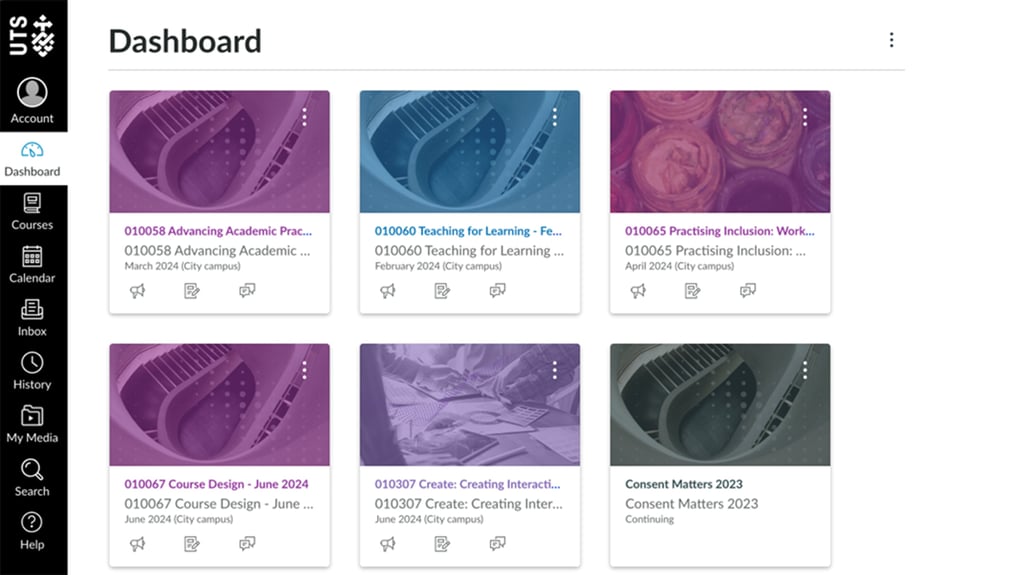
All the subjects you previously studied should remain available to you in Canvas even after you graduate.
If you withdraw from a subject, you will still have access to Canvas and be able to see any subjects you are actively enrolled in or have previously completed, but you will lose access to the subject(s) you withdraw from.
If you can’t see any subjects or one or more of your subjects are missing, please contact UTS IT Support.
Downloading your subject outline or subject information PDF from a subject site in Canvas
- Once in your subject site, select 'Subject Information' in the left-hand menu (this tab is labelled ‘Subject Outline’ if you took the subject in 2024 and earlier).
- Select the print/download icon in the PDF viewer, or the blue ‘Print Subject Information’ button.
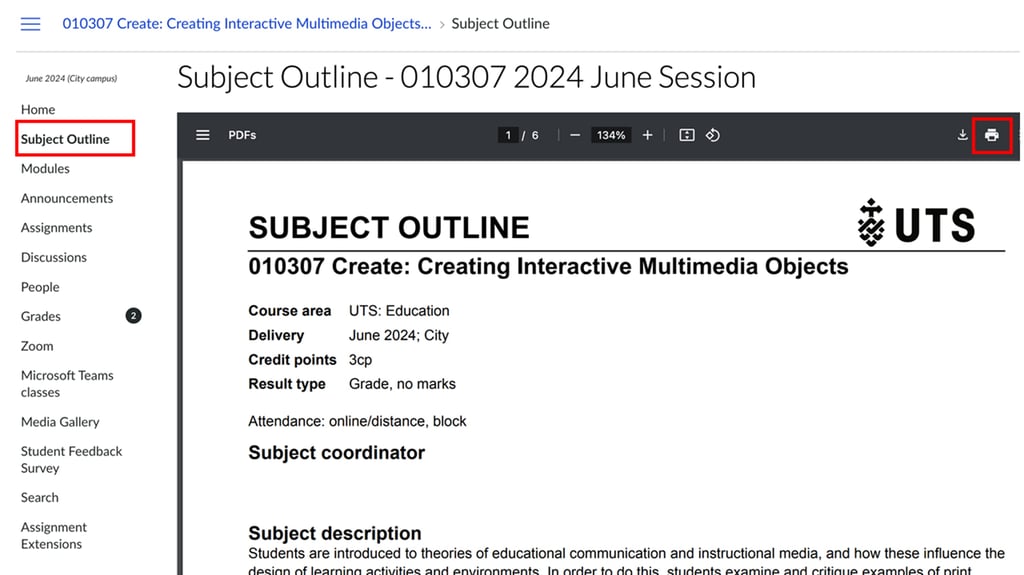
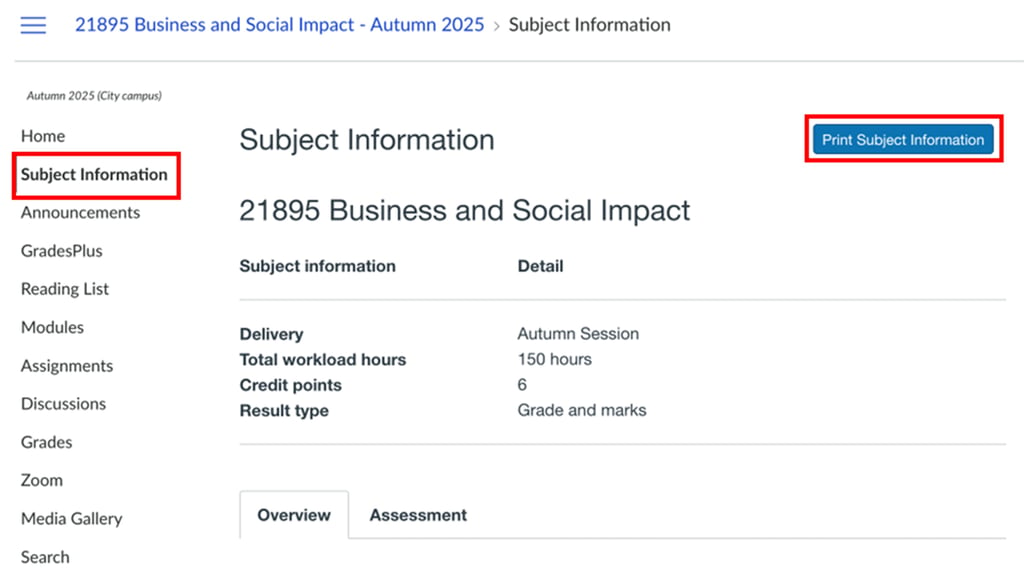
If you can’t see a ‘Subject Outline’ or ‘Subject Information’ tab, or you have trouble downloading your file from Canvas, please contact UTS IT Support.
If the subject wasn’t taught on Canvas (2020 and earlier)
If you completed a subject at UTS in 2020 and earlier, you need to request an archived copy of your subject outline via the UTS Student Centre.
Please include the subject name, subject code, and the year and session you took the subject when making your enquiry.
Your faculty will validate that you completed the subject you are requesting information for, then deliver the PDF subject outline to you via email.