

Once you’ve set up your MFA here is what to expect when authenticating
When you'll be prompted to use MFA
- The first time you log in to a browser that you have not logged into before (or are using Incognito or Private mode)
- The first time you access UTS systems from a device that you have not logged into before
- It's been 7 days since you first logged into the browser or device you are using
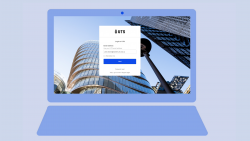
On the login screen, enter your full UTS email address in the email field. Your full email address usually includes your first name and last name, and may include an additional initial or number e.g. jane.citizen@student.uts.edu.au, jane.g.citizen@student.uts.edu.au, jane.citizen-1@student.uts.edu.au.
Note: Your Student ID email address (i.e. 12345678@student.uts.edu.au) won’t work
Then on the next page enter the same password you use to access your UTS account, and click ‘Sign In’.
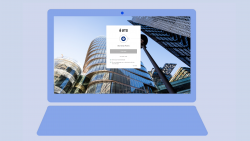
If you have set up push notification with your Okta Verify app your screen will advise you that a push notification has been sent to your mobile device.
Note: If it hasn't been sent automatically then just press the 'Send Push' button on the screen.
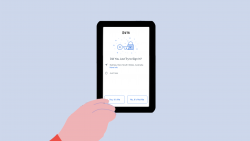
On your mobile device, from the push notification pop-up select 'Yes, It's Me'
Note: If it's not showing in your notifications then just open up the Okta Verify app
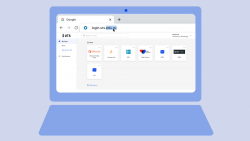
Once you have verified on your mobile device, your browser will then refresh and you will have access to your application or the Okta dashboard.
Using MFA guides
New sign-on notification email
Need help with MFA?
Head to our 'MFA Help' page or reach out to one of our dedicated MFA Support Services:
Phone: IT Support on +61 2 9514 2222
Hours of operation during sessions:
- Monday to Friday — 8:00am to 9:30pm AEST/AEDT
- Saturday and Sunday — 9:00am to 5:00pm AEST/AEDT
Online: Log an enquiry via serviceconnect.uts.edu.au
On campus: You can contact IT Support by calling 2222 from an internal phone - internal phones are available from Security on Level 3 of Building 1, Broadway (the UTS Tower), from all classrooms, and other locations around UTS campuses.
IT Support Centre in-person help: CB10.02.212 Broadway
Hours of operation:
- Monday to Friday — 9:30am to 4:30pm AEST/AEDT