

Individual support services are available to assist to minimise the impact of your disability / health condition and maximise your access and participation. Outlined below is a description of the services provided by the Accessibility Service.
Please contact us if you have any questions or would like to discuss these services with an Accessibility Consultant (AC). Your AC will consult with you about your needs and decide on your eligibility for access to individual support services.
Please Note:
To receive support from the Accessibility Service, you will need to register with us.
Notetakers
- Notetaking services are provided to students whose disability / health condition impacts on their notetaking. For example, concentration or speed due to processing or mobility impacts.
- Notetaking is available for scheduled class activities, most commonly Lectures but ranging through to seminars, practical classes and field trips.
- Notetakers are casual employees of the university, and are usually students in the same or a similar discipline to the student who needs the notetaker.
- Notetakers are selected, employed and trained by the Accessibility Service, including disability awareness and confidentiality.
Auslan Interpreters and Captioning Services
- We can arrange Auslan interpreters or live captioning services for students who are profoundly deaf, and where notetaking is not adequate.
- To help us organise an interpreter in a timely manner, we strongly encourage you to give us as much notice as possible if this service is required.
- To ensure services are provided in time for the start of session, a lead time of four to six weeks prior to the start of session is required for captioning services.
Lecture recordings
- We can arrange lecture recordings for those subjects in which the lectures are not automatically recorded.
- These recordings will be made available to you online.
Course materials in alternative formats
- Course materials can be converted into an alternative format to provide access for students with a disability / health condition which impacts on their access to printed documents. For example, reading speed or processing, vision and mobility.
- If you need course materials in alternative formats (e.g. text PDF, Word or Audio/MP3), please let us know at least 6 weeks prior to the start of session as these formats can be time consuming to produce.
Scribes for tests and examinations
- While the Accessibility Service does not conduct tests and examinations, we provide trained scribes and readers for examinations.
- You will need to have a scribe or reader as an approved exam provision.
- Scribes and readers are selected and trained by the Accessibility Service and are allocated in relation to the same or similar discipline in which the student is studying.
- The role of the scribe is to write, verbatim, as is instructed by the student.
- The role of the reader is to read the exam paper and any related allowable documents, as instructed by the student.
Equipment loans
- We can provide short term and long term (course duration) equipment loans including, but not limited to: assistive software e.g. Dragon Naturally Speaking, Read and Write Gold, Zoomtext, Jaws, as well as FM systems, dictaphones/recorders and specialist equipment such as amplified stethoscopes.
- Equipment loans are provided in relation to the impacts of disability / health condition being experienced by the student. We can also help you to source other equipment that you might need. Speak with your Accessibility Consultant to discuss these options.
Assistive technologies
The following assistive software is available on campus in all general access IT Labs and the Student Wellbeing and Support Unit Resource Room (SSURR) and Library Assistive Technology rooms (LATR):
- JAWS (Job Access With Speech) version 18 is for computer users whose vision loss prevents them from seeing screen content or navigating with a mouse. JAWS provides speech and Braille output. View testimonials from JAWS users.
- Zoomtext version 10.1 is a magnification and reading software for people who have a vision impairment.
-
Read&Write is available for FREE to UTS students (and staff) and works on Windows, Chrome / Edge Browser, Mac, iPads and Android tablets. Read & Write is a floating toolbar that assists with reading, writing, research and revision. Instructions are available here. You can:
- Highlight text and read it out aloud
- Highlight and automatically reference selected text
- Convert text to audio files
- Build specialised vocabulary lists with definition<>
- And much more!
For more information and functions explanations visit the Yale Centre for Dyslexia and Creativity.
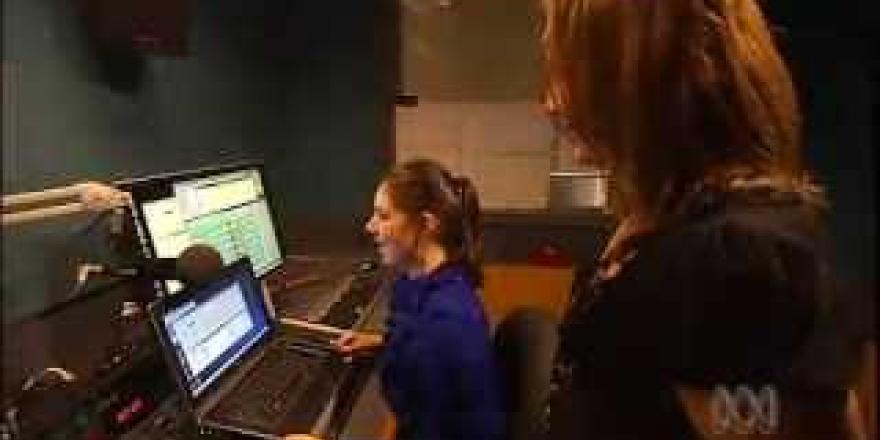
Watch ABC journalist Nas Campanella present the Triple J news using JAWS.
Additionally, the following assistive technology software is available in the SSURR (for use in the individual study room) and the Library Assistive Technology room 2b:
- Dragon Naturally Speaking version 14 is speech recognition technology that enables users to produce written text from speech. This is helpful for writing, spelling and typing difficulties.
Please contact the Accessibility Administrator and copy in your Accessibility Consultant if you need to request:
- Installation of assistive technology in Faculty computer Labs.
- Access to assistive technology for use from your personal computer/device.
Additionally, the following assistive technology software is available in the SSURR (for use in the individual study room) and the Library Assistive Technology room 2b:
Please note: we may also be able to assist you to purchase assistive technologies. Discuss these options with your Accessibility Consultant.